Creating Call Results in Readymode

Modified on Wed, Dec 3 at 11:48 AM

Get the scoop on how to create new Call Result buttons for your Agents.


Creating Call Results


Readymode enables you to create new Call Results for your Agents to effectively disposition calls.


Create a New Call Result


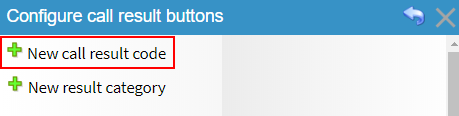
Navigate to Call Results and click the New call result code link


Screenshot of the Readymode Call Result configuration screen with the ‘New call result code’ option highlighted for creating a new disposition.


Set up your new Call Result using the available Configuration Options (1) and click the Save Changes button (2) when done.


Screenshot of the Readymode Edit Call Result screen showing configuration fields for creating a new call result, including name, color, category, termination options, and the Save Changes button.


You'll now see your new Call Result in the Active Call Results list:
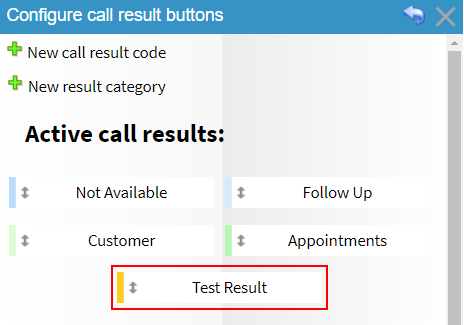

Screenshot of the Readymode Call Result configuration screen showing the newly created ‘Test Result’ button listed under Active Call Results.

Was this article helpful?

That’s Great!

Thank you for your feedback

Sorry! We couldn't be helpful

Thank you for your feedback

Let us know how can we improve this article!

Select at least one of the reasons
CAPTCHA verification is required.

Feedback sent

We appreciate your effort and will try to fix the article